
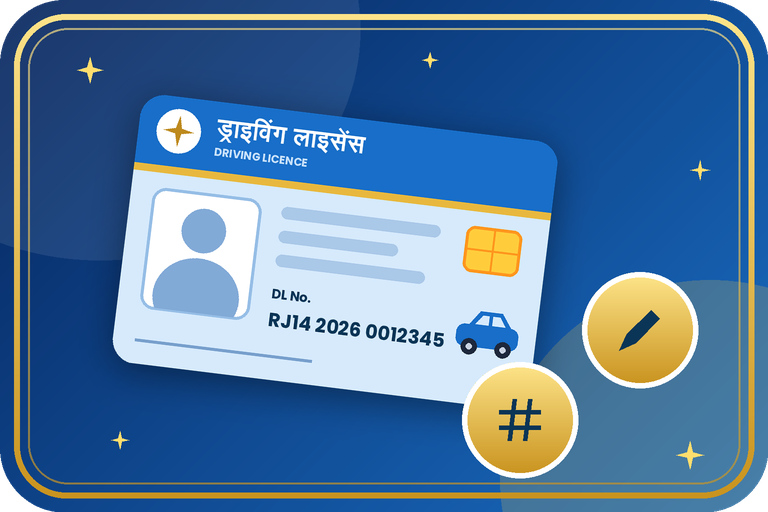
Driving Licence Number and Details Update: Mobile, Aadhaar Link and Record Correction
Many people face trouble because the mobile number or details in their driving licence record are old or wrong. This guide explains how to update the contact and record details linked to your DL number and what to do if the number itself looks wrong.
What Can You Update?
A correct mobile number and email in your DL record help with OTPs, status updates and digital services. A DL number is issued by the RTO and is normally not changed. If the number is printed wrongly or the record does not match, apply for a correction through the RTO. Available options can differ by state, so check the options shown after you log in to Sarathi.
Documents Required
- DL number and date of birth.
- Active mobile number (and email) to be added.
- Aadhaar card for identity and address proof.
- Copy of the driving licence.
- Passport size photo and signature if the form asks.
Step-by-Step Process
- Open sarathi.parivahan.gov.in and select your state.
- Choose Driving Licence Services and look for the option to update details or services on DL.
- Enter your DL number and date of birth and confirm the details on screen.
- Update the mobile number / email and other contact details, then verify with OTP if asked.
- Upload supporting documents and pay the fee if one is charged.
- If the DL number or personal details in the record are wrong, apply for a correction and visit the RTO with originals.
- Keep the application number and check the status until the record is updated.
Fees, Time & Options
| Point | Details |
|---|---|
| Mobile / email update | Online where available, otherwise at the RTO |
| Wrong DL number or entry | Through correction at the RTO with proof |
| Fee | State dependent. The portal shows it if payable |
| After update | Download your licence from DigiLocker or mParivahan |
Important Tips
- Use a mobile number that stays active, so you receive OTPs.
- Make sure name and date of birth match your Aadhaar.
- Never share OTPs with agents.
- Update details before renewal or duplicate applications.
Need help with DL details update?
Contact the Emitrawala team on WhatsApp. We will guide you step by step.
Chat on WhatsApp Call: +91 94606 26065Frequently Asked Questions (FAQ)
Can I change my DL number?
A licence number is issued by the RTO and is normally not changed. If it was recorded wrongly, ask the RTO for a correction.
How do I update the mobile number in my DL?
Use the details update option on Sarathi if your state offers it, or visit your RTO.
Is Aadhaar linking compulsory?
Not for everyone, but it makes online services and verification easier.
Where can I check the update status?
On the Sarathi portal using your application number and date of birth.
Note: This information is based on official Parivahan/Sarathi pages and public sources. Fees, forms and process can differ by state/RTO and may change, so please confirm on sarathi.parivahan.gov.in or at your RTO before you proceed.
ड्राइविंग लाइसेंस नंबर और डिटेल अपडेट: मोबाइल, आधार लिंक और रिकॉर्ड सुधार
कई लोगों को इसलिए परेशानी होती है कि उनके ड्राइविंग लाइसेंस रिकॉर्ड में मोबाइल नंबर या जानकारी पुरानी या गलत होती है। इस गाइड में बताया गया है कि DL नंबर से जुड़ी संपर्क और रिकॉर्ड की जानकारी कैसे अपडेट करें और अगर नंबर ही गलत लगे तो क्या करें।
क्या-क्या अपडेट कर सकते हैं?
DL रिकॉर्ड में सही मोबाइल नंबर और ईमेल होने से OTP, स्टेटस अपडेट और डिजिटल सेवाओं में आसानी रहती है। DL नंबर RTO द्वारा जारी होता है और आमतौर पर बदला नहीं जाता। अगर नंबर गलत छप गया है या रिकॉर्ड मेल नहीं खाता, तो RTO के माध्यम से करेक्शन के लिए आवेदन करें। उपलब्ध विकल्प राज्य अनुसार अलग हो सकते हैं, इसलिए सारथी पर लॉगिन के बाद दिखने वाले विकल्प देखें।
ज़रूरी दस्तावेज़
- DL नंबर और जन्म तिथि।
- जोड़ा जाने वाला चालू मोबाइल नंबर (और ईमेल)।
- पहचान और पते के प्रमाण के लिए आधार कार्ड।
- ड्राइविंग लाइसेंस की कॉपी।
- फॉर्म माँगे तो पासपोर्ट साइज़ फ़ोटो और हस्ताक्षर।
स्टेप-बाय-स्टेप प्रक्रिया
- sarathi.parivahan.gov.in खोलें और अपना राज्य चुनें।
- Driving Licence Services में डिटेल अपडेट या DL सेवाओं का विकल्प देखें।
- DL नंबर और जन्म तिथि डालकर स्क्रीन पर जानकारी की पुष्टि करें।
- मोबाइल नंबर / ईमेल और अन्य संपर्क जानकारी अपडेट करें, माँगा जाए तो OTP से सत्यापित करें।
- सहायक दस्तावेज़ अपलोड करें और शुल्क लगे तो जमा करें।
- अगर रिकॉर्ड में DL नंबर या व्यक्तिगत जानकारी गलत है तो करेक्शन के लिए आवेदन करें और मूल दस्तावेज़ के साथ RTO जाएँ।
- आवेदन नंबर रखें और रिकॉर्ड अपडेट होने तक स्टेटस देखते रहें।
शुल्क, समय व विकल्प
| बिंदु | विवरण |
|---|---|
| मोबाइल / ईमेल अपडेट | जहाँ उपलब्ध हो वहाँ ऑनलाइन, नहीं तो RTO में |
| गलत DL नंबर या एंट्री | प्रमाण के साथ RTO में करेक्शन के माध्यम से |
| शुल्क | राज्य पर निर्भर। लगता हो तो पोर्टल पर दिखता है |
| अपडेट के बाद | DigiLocker या mParivahan से अपना लाइसेंस डाउनलोड करें |
ज़रूरी सुझाव
- ऐसा मोबाइल नंबर दें जो चालू रहे ताकि OTP मिलते रहें।
- नाम और जन्म तिथि आधार से मेल खानी चाहिए।
- किसी एजेंट को OTP न बताएँ।
- रिन्यूअल या डुप्लीकेट के आवेदन से पहले डिटेल अपडेट करवा लें।
DL डिटेल अपडेट में मदद चाहिए?
Emitrawala टीम से WhatsApp पर संपर्क करें। हम आपको step by step गाइड करेंगे।
WhatsApp पर चैट करें कॉल करें: +91 94606 26065अक्सर पूछे जाने वाले प्रश्न (FAQ)
क्या मैं अपना DL नंबर बदल सकता हूँ?
लाइसेंस नंबर RTO जारी करता है और आमतौर पर बदला नहीं जाता। गलत दर्ज हुआ हो तो RTO से करेक्शन करवाएँ।
DL में मोबाइल नंबर कैसे अपडेट करें?
आपके राज्य में सुविधा हो तो सारथी पर डिटेल अपडेट विकल्प से, नहीं तो अपने RTO जाकर।
क्या आधार लिंक करना ज़रूरी है?
सभी के लिए ज़रूरी नहीं, लेकिन इससे ऑनलाइन सेवाएँ और सत्यापन आसान हो जाते हैं।
अपडेट का स्टेटस कहाँ देखें?
सारथी पोर्टल पर आवेदन नंबर और जन्म तिथि डालकर।
नोट: यह जानकारी परिवहन/सारथी की आधिकारिक वेबसाइट और सार्वजनिक स्रोतों पर आधारित है। शुल्क, फॉर्म और प्रक्रिया राज्य/RTO के अनुसार अलग हो सकती है और बदल भी सकती है, इसलिए आगे बढ़ने से पहले sarathi.parivahan.gov.in या अपने RTO पर पुष्टि अवश्य करें।
