
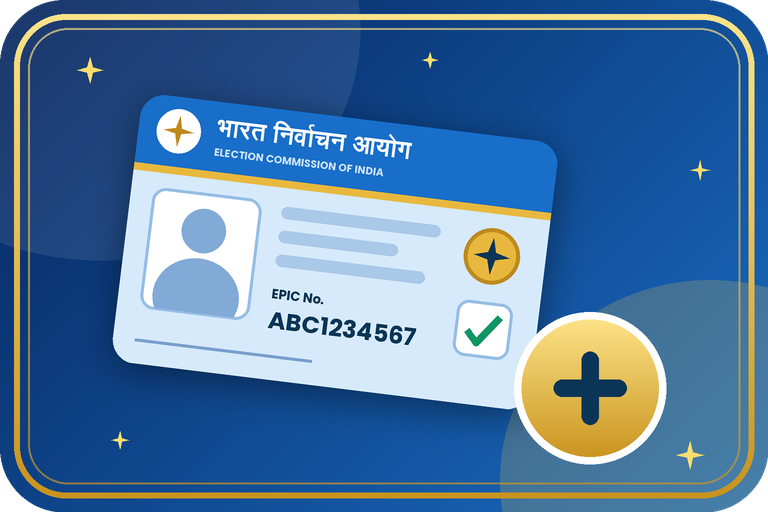
How to Apply for a New Voter ID Card Online (Form 6): Complete Guide
If you are an Indian citizen who has turned 18 and your name is not on the electoral roll yet, you can apply for a new Voter ID (EPIC) from your phone or computer. The Election Commission of India (ECI) accepts applications through the Voters' Services Portal and the Voter Helpline App using Form 6. This guide explains who can apply, which documents to keep ready, the exact steps, and how to track your application.
Who Can Apply for a New Voter ID?
You can apply if you are an Indian citizen, you have completed 18 years on a qualifying date, and you normally live in the area where you want to vote. ECI now uses four qualifying dates in a year (1 January, 1 April, 1 July and 1 October), so you do not have to wait a full year after turning 18.
If your name is already in the electoral roll and you only want to change your details or shift your address, do not file a fresh Form 6. Use Form 8 instead. Indian citizens living abroad use Form 6A.
Documents to Keep Ready
- A recent passport-size colour photograph with a plain background.
- Age proof: birth certificate, Class 10 marksheet, passport or any other document accepted by ECI.
- Address proof: Aadhaar, bank or post office passbook, electricity or water bill, passport, ration card or a registered rent agreement.
- An active mobile number and email ID for OTP verification.
- Aadhaar number (optional, but it helps with verification).
Steps: Apply for a New Voter ID Online (Form 6)
- Open voters.eci.gov.in or install the official Voter Helpline App.
- Log in with your mobile number and OTP. New users can create an account in a minute.
- Under new registration for general electors, tap "Fill Form 6".
- Select your state, district and assembly constituency, then enter your name, date of birth and gender.
- Add your relative's name (father, mother or spouse) and your present address.
- Enter Aadhaar details if you wish, then read and tick the declaration.
- Upload your photo, age proof and address proof in the format asked.
- Preview the form, submit it, and save the reference number shown on screen.
Ways to Apply: Quick Comparison
| Method | How it works | Best for |
|---|---|---|
| Voters' Services Portal | Fill Form 6 on the website from a phone or computer | Anyone comfortable with online forms |
| Voter Helpline App | Same Form 6 inside the mobile app, with direct photo upload | Quick phone-only application |
| Offline (BLO / ERO office) | Submit a paper Form 6 with document copies to your Booth Level Officer or the local Electoral Registration Officer | People who need in-person help |
Track Your Application and Get Your Card
After you submit, a Booth Level Officer (BLO) may visit your address to verify the details. Once the Electoral Registration Officer approves the application, your name is added to the roll and your EPIC is issued.
- Open the portal and choose Track Application Status.
- Enter your reference number and select your state.
- After approval, download your e-EPIC (digital card) using your EPIC number or reference number, or wait for the printed card to arrive by post.
Important Precautions
- Use only voters.eci.gov.in and the official app. ECI does not charge any fee for registration.
- Write your name exactly as it appears in your documents.
- Never share your OTP with agents or unknown callers.
- Apply only once. Duplicate entries can get cancelled later.
- Keep the reference number safe until your card arrives.
Need help with your Voter ID work?
Contact the Emitrawala team on WhatsApp. We will guide you step by step.
Chat on WhatsApp Call: +91 94606 26065Frequently Asked Questions (FAQ)
Is there any fee for a new Voter ID?
No. Registration through the official portal and app is free.
Can I apply before turning 18?
ECI allows advance applications for people who will complete 18 on an upcoming qualifying date. Check the portal for the current rule.
Is Aadhaar compulsory?
No. Giving Aadhaar is voluntary. If you do not have it, you can say so on the form and submit other documents.
How long does it take?
It depends on verification in your area. Keep your reference number and check the status online from time to time.
What is e-EPIC?
It is the digital, downloadable version of your voter card issued by ECI.
Which number should I call for help?
The voter helpline number is 1950.
Note: This information is based on the Election Commission of India's official portal and public sources. Forms, rules and screens can change, so please confirm on voters.eci.gov.in or call the voter helpline 1950 before you proceed.
नया वोटर आईडी कार्ड ऑनलाइन कैसे बनवाएं (फॉर्म 6): पूरी गाइड
अगर आप भारत के नागरिक हैं, आपकी उम्र 18 साल हो चुकी है और आपका नाम अभी मतदाता सूची में नहीं है, तो आप अपने फोन या कंप्यूटर से नया वोटर आईडी (EPIC) बनवा सकते हैं। भारत निर्वाचन आयोग (ECI) फॉर्म 6 के जरिए वोटर सर्विस पोर्टल और Voter Helpline ऐप पर आवेदन लेता है। इस गाइड में बताया गया है कि कौन आवेदन कर सकता है, कौन-से दस्तावेज तैयार रखने हैं, पूरी प्रक्रिया क्या है और आवेदन की स्थिति कैसे देखें।
नया वोटर आईडी बनवाने के लिए कौन पात्र है?
आप आवेदन कर सकते हैं अगर आप भारत के नागरिक हैं, किसी योग्यता तिथि पर आपकी उम्र 18 साल पूरी हो चुकी है और आप उस क्षेत्र के सामान्य निवासी हैं जहां वोट देना चाहते हैं। अब साल में चार योग्यता तिथियां हैं (1 जनवरी, 1 अप्रैल, 1 जुलाई और 1 अक्टूबर), इसलिए 18 साल के होने के बाद पूरे साल इंतजार नहीं करना पड़ता।
अगर आपका नाम पहले से सूची में है और आपको सिर्फ जानकारी बदलनी है या पता शिफ्ट करना है, तो नया फॉर्म 6 न भरें, फॉर्म 8 का उपयोग करें। विदेश में रहने वाले भारतीय नागरिक फॉर्म 6A भरते हैं।
जरूरी दस्तावेज
- हाल की पासपोर्ट साइज रंगीन फोटो (सादे बैकग्राउंड के साथ)।
- आयु प्रमाण: जन्म प्रमाण पत्र, 10वीं की मार्कशीट, पासपोर्ट या ECI द्वारा मान्य कोई अन्य दस्तावेज।
- पता प्रमाण: आधार, बैंक या डाकघर पासबुक, बिजली या पानी का बिल, पासपोर्ट, राशन कार्ड या पंजीकृत किराया समझौता।
- OTP के लिए चालू मोबाइल नंबर और ईमेल आईडी।
- आधार नंबर (वैकल्पिक, लेकिन सत्यापन में मदद करता है)।
स्टेप: ऑनलाइन नया वोटर आईडी आवेदन (फॉर्म 6)
- voters.eci.gov.in खोलें या आधिकारिक Voter Helpline ऐप इंस्टॉल करें।
- मोबाइल नंबर और OTP से लॉगिन करें। नए यूजर एक मिनट में अकाउंट बना सकते हैं।
- सामान्य मतदाताओं के नए पंजीकरण वाले विकल्प में "Fill Form 6" पर टैप करें।
- अपना राज्य, जिला और विधानसभा क्षेत्र चुनें, फिर नाम, जन्म तिथि और लिंग भरें।
- रिश्तेदार (पिता, माता या पति/पत्नी) का नाम और अपना वर्तमान पता डालें।
- चाहें तो आधार की जानकारी भरें, फिर घोषणा पढ़कर टिक करें।
- मांगे गए फॉर्मेट में फोटो, आयु प्रमाण और पता प्रमाण अपलोड करें।
- फॉर्म का प्रीव्यू देखकर सबमिट करें और स्क्रीन पर दिखा रेफरेंस नंबर सुरक्षित रख लें।
आवेदन के तरीके: एक नजर में
| तरीका | कैसे काम करता है | किसके लिए बेहतर |
|---|---|---|
| वोटर सर्विस पोर्टल | फोन या कंप्यूटर से वेबसाइट पर फॉर्म 6 भरें | ऑनलाइन फॉर्म भरने में सहज लोग |
| Voter Helpline ऐप | मोबाइल ऐप में वही फॉर्म 6, सीधे फोटो अपलोड के साथ | सिर्फ फोन से जल्दी आवेदन |
| ऑफलाइन (BLO / ERO कार्यालय) | कागजी फॉर्म 6 और दस्तावेजों की कॉपी अपने बूथ लेवल अधिकारी या निर्वाचक पंजीकरण अधिकारी को दें | जिन्हें सामने बैठकर मदद चाहिए |
आवेदन की स्थिति देखें और कार्ड पाएं
सबमिट करने के बाद बूथ लेवल अधिकारी (BLO) जानकारी जांचने आपके पते पर आ सकता है। निर्वाचक पंजीकरण अधिकारी (ERO) की मंजूरी के बाद आपका नाम सूची में जुड़ जाता है और EPIC जारी होता है।
- पोर्टल खोलकर Track Application Status चुनें।
- रेफरेंस नंबर डालें और अपना राज्य चुनें।
- मंजूरी के बाद EPIC नंबर या रेफरेंस नंबर से अपना e-EPIC (डिजिटल कार्ड) डाउनलोड करें, या डाक से प्रिंटेड कार्ड आने का इंतजार करें।
जरूरी सावधानियां
- सिर्फ voters.eci.gov.in और आधिकारिक ऐप का उपयोग करें। पंजीकरण के लिए ECI कोई फीस नहीं लेता।
- नाम वैसा ही लिखें जैसा आपके दस्तावेजों में है।
- अपना OTP किसी एजेंट या अनजान कॉलर को न बताएं।
- आवेदन सिर्फ एक बार करें। डुप्लीकेट एंट्री बाद में रद्द हो सकती है।
- कार्ड आने तक रेफरेंस नंबर संभालकर रखें।
वोटर आईडी के काम में मदद चाहिए?
Emitrawala टीम से WhatsApp पर संपर्क करें। हम आपको स्टेप-बाय-स्टेप मार्गदर्शन देंगे।
WhatsApp पर चैट करें कॉल करें: +91 94606 26065अक्सर पूछे जाने वाले प्रश्न (FAQ)
क्या नया वोटर आईडी बनवाने की कोई फीस है?
नहीं। आधिकारिक पोर्टल और ऐप से पंजीकरण निःशुल्क है।
क्या 18 साल से पहले आवेदन कर सकते हैं?
ECI उन लोगों को एडवांस आवेदन की सुविधा देता है जो आने वाली योग्यता तिथि पर 18 साल के होंगे। मौजूदा नियम पोर्टल पर जांच लें।
क्या आधार जरूरी है?
नहीं। आधार देना वैकल्पिक है। अगर आपके पास आधार नहीं है तो फॉर्म में यह बताकर दूसरे दस्तावेज दे सकते हैं।
कितना समय लगता है?
यह आपके क्षेत्र में सत्यापन पर निर्भर करता है। रेफरेंस नंबर रखें और बीच-बीच में ऑनलाइन स्थिति देखते रहें।
e-EPIC क्या है?
यह ECI द्वारा जारी आपके वोटर कार्ड का डिजिटल, डाउनलोड होने वाला रूप है।
मदद के लिए किस नंबर पर कॉल करें?
वोटर हेल्पलाइन नंबर 1950 है।
नोट: यह जानकारी भारत निर्वाचन आयोग (ECI) के आधिकारिक पोर्टल और सार्वजनिक स्रोतों पर आधारित है। फॉर्म, नियम और स्क्रीन बदल सकते हैं, इसलिए आगे बढ़ने से पहले voters.eci.gov.in पर जांच लें या वोटर हेल्पलाइन 1950 पर कॉल करें।
