
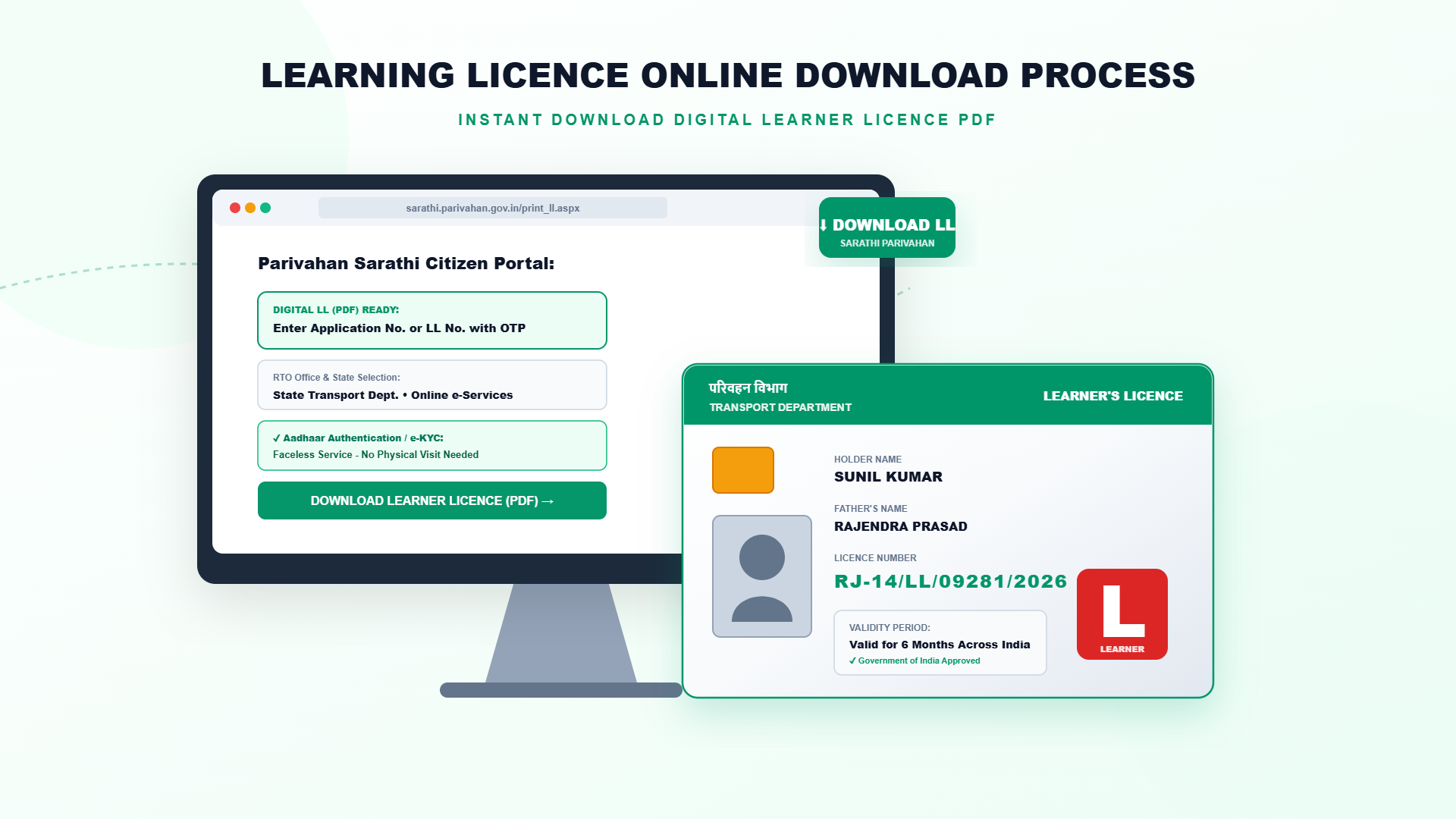
How to Download Learner's Licence (Learning Licence) PDF Online from Sarathi
After you pass the learner's licence test, your licence is issued digitally. You can download the PDF from the Sarathi portal using your application number and date of birth, and keep a print-out while practising. This guide explains the steps, what you need and what to do if the licence does not show.
What You Need Before You Start
- Your application number, which you received after applying and paying the fee.
- Your date of birth as entered in the application.
- Your state, where you applied.
- A phone or computer with internet and a PDF viewer.
- Your test result must be declared as passed.
Steps: Download Learner's Licence Online
- Open sarathi.parivahan.gov.in and select your state.
- Go to the learner's licence services and choose the option to print or download the learner's licence.
- Enter your application number and date of birth, then submit.
- Check that your name, photograph and vehicle class are correct.
- Click on the download or print option and save the PDF on your device.
- Take a colour print-out and keep it with you whenever you drive.
Common Problems and Easy Fixes
| Problem | What to do |
|---|---|
| Licence not available yet | Check Application Status. The licence appears after the test result and approval, which can take a short time |
| Details not matching | Re-enter the application number and date of birth exactly as in the application |
| Application number forgotten | Look at your payment receipt, SMS or email. If not found, contact your RTO |
| Wrong details printed on the licence | Use the correction services on Sarathi or contact the RTO |
| Page not loading | Try another browser, clear the cache or try later, since the portal can be busy |
If You Lose Your Learner's Licence
You can download the licence again at any time while it is valid, using the same application number and date of birth. If you cannot get the record, apply for a duplicate learner's licence through the Sarathi services for your state, or ask the RTO.
How to Use the Downloaded Licence
The learner's licence is valid for six months from the issue date. Carry the print-out or a clear copy on your phone while practising, display the L sign on your vehicle and drive with an experienced licensed driver beside you. When you apply for the permanent licence after 30 days, keep this licence number ready.
Important Precautions
- Download only from the official Sarathi portal. Be careful with unknown websites that ask for money to download.
- Do not share your application number, date of birth or OTP with strangers.
- If you use a public computer, delete the file afterwards.
- Check the validity date, so that you apply for the driving licence before it expires.
Need help with your Learner's Licence?
Contact the Emitrawala team on WhatsApp. We will guide you step by step.
Chat on WhatsApp Call: +91 94606 26065Frequently Asked Questions (FAQ)
How do I download my learner's licence?
Open Sarathi, select your state, choose the print or download option for learner's licence, and enter your application number and date of birth.
Is there any fee for download?
No fee is charged for downloading your licence from the portal.
Can I download it before passing the test?
No. The licence is issued only after you pass the test.
Can I download it again if I lose it?
Yes, as long as you have your application number and date of birth.
Is a phone copy enough while driving?
A clear digital copy or a print-out is commonly used. Keep a print-out to be safe.
What if my licence has expired?
You may need to renew it if your state allows, or apply for a new learner's licence.
Note: This information is based on the Parivahan Sarathi portal and public sources. Fees, test format, online test availability and renewal rules differ from state to state, so please confirm on sarathi.parivahan.gov.in or with your local RTO before you proceed.
लर्निंग लाइसेंस PDF ऑनलाइन डाउनलोड कैसे करें (सारथी पोर्टल से)
लर्निंग लाइसेंस का टेस्ट पास करने के बाद आपका लाइसेंस डिजिटल रूप में जारी होता है। आप सारथी पोर्टल से आवेदन संख्या और जन्म तिथि डालकर इसका PDF डाउनलोड कर सकते हैं और अभ्यास के दौरान प्रिंट कॉपी साथ रख सकते हैं। इस गाइड में स्टेप, जरूरी चीजें और लाइसेंस न दिखे तो क्या करें, यह बताया गया है।
शुरू करने से पहले क्या चाहिए
- आपकी आवेदन संख्या, जो आवेदन और फीस भरने के बाद मिली थी।
- आवेदन में दर्ज आपकी जन्म तिथि।
- आपका राज्य, जहां आपने आवेदन किया।
- इंटरनेट वाला फोन या कंप्यूटर और PDF देखने का ऐप।
- आपका टेस्ट का नतीजा पास घोषित होना चाहिए।
स्टेप: ऑनलाइन लर्निंग लाइसेंस डाउनलोड करें
- sarathi.parivahan.gov.in खोलें और अपना राज्य चुनें।
- लर्निंग लाइसेंस सेवाओं में जाकर लर्निंग लाइसेंस प्रिंट या डाउनलोड करने का विकल्प चुनें।
- अपनी आवेदन संख्या और जन्म तिथि डालकर सबमिट करें।
- जांच लें कि आपका नाम, फोटो और वाहन वर्ग सही हैं।
- डाउनलोड या प्रिंट विकल्प पर क्लिक करें और PDF अपने डिवाइस में सेव करें।
- रंगीन प्रिंट निकालें और गाड़ी चलाते समय साथ रखें।
आम समस्याएं और आसान समाधान
| समस्या | क्या करें |
|---|---|
| लाइसेंस अभी उपलब्ध नहीं | Application Status देखें। टेस्ट के नतीजे और मंजूरी के बाद लाइसेंस दिखता है, जिसमें थोड़ा समय लग सकता है |
| जानकारी मेल नहीं खा रही | आवेदन संख्या और जन्म तिथि बिल्कुल वैसे ही डालें जैसे आवेदन में थी |
| आवेदन संख्या भूल गए | भुगतान रसीद, SMS या ईमेल देखें। न मिले तो अपने RTO से संपर्क करें |
| लाइसेंस पर गलत जानकारी छपी है | सारथी की सुधार सेवाओं का उपयोग करें या RTO से संपर्क करें |
| पेज लोड नहीं हो रहा | दूसरा ब्राउज़र आजमाएं, कैश साफ करें या बाद में कोशिश करें, क्योंकि पोर्टल पर भीड़ हो सकती है |
अगर लर्निंग लाइसेंस खो जाए
लाइसेंस वैध रहने तक आप वही आवेदन संख्या और जन्म तिथि डालकर उसे कभी भी दोबारा डाउनलोड कर सकते हैं। रिकॉर्ड न मिले तो अपने राज्य की सारथी सेवाओं से डुप्लीकेट लर्निंग लाइसेंस के लिए आवेदन करें, या RTO से पूछें।
डाउनलोड किए लाइसेंस का उपयोग कैसे करें
लर्निंग लाइसेंस जारी होने की तारीख से छह महीने वैध रहता है। अभ्यास के दौरान प्रिंट या फोन में साफ कॉपी साथ रखें, वाहन पर L का निशान लगाएं और बगल में अनुभवी लाइसेंसधारी ड्राइवर को बैठाएं। 30 दिन बाद पक्के लाइसेंस के लिए आवेदन करते समय यह लाइसेंस नंबर तैयार रखें।
जरूरी सावधानियां
- सिर्फ आधिकारिक सारथी पोर्टल से डाउनलोड करें। पैसे मांगने वाली अनजान वेबसाइटों से सावधान रहें।
- आवेदन संख्या, जन्म तिथि या OTP अजनबियों को न बताएं।
- पब्लिक कंप्यूटर इस्तेमाल करें तो बाद में फाइल डिलीट कर दें।
- वैधता की तारीख देखते रहें ताकि लाइसेंस खत्म होने से पहले ड्राइविंग लाइसेंस के लिए आवेदन कर सकें।
लर्निंग लाइसेंस के काम में मदद चाहिए?
Emitrawala टीम से WhatsApp पर संपर्क करें। हम आपको स्टेप-बाय-स्टेप मार्गदर्शन देंगे।
WhatsApp पर चैट करें कॉल करें: +91 94606 26065अक्सर पूछे जाने वाले प्रश्न (FAQ)
लर्निंग लाइसेंस कैसे डाउनलोड करें?
सारथी खोलें, राज्य चुनें, लर्निंग लाइसेंस के प्रिंट या डाउनलोड का विकल्प चुनें और आवेदन संख्या व जन्म तिथि डालें।
क्या डाउनलोड पर कोई फीस है?
पोर्टल से लाइसेंस डाउनलोड करने पर कोई शुल्क नहीं लगता।
क्या टेस्ट पास करने से पहले डाउनलोड हो सकता है?
नहीं। लाइसेंस टेस्ट पास करने के बाद ही जारी होता है।
लाइसेंस खो जाए तो क्या दोबारा डाउनलोड हो सकता है?
हां, बशर्ते आपके पास आवेदन संख्या और जन्म तिथि हो।
क्या गाड़ी चलाते समय फोन की कॉपी काफी है?
साफ डिजिटल कॉपी या प्रिंट आमतौर पर चलता है। सुरक्षित रहने के लिए प्रिंट साथ रखें।
अगर लाइसेंस की अवधि खत्म हो गई हो तो?
आपके राज्य में सुविधा हो तो रिन्यू करना पड़ सकता है, या नया लर्निंग लाइसेंस बनवाना होगा।
नोट: यह जानकारी परिवहन सारथी पोर्टल और सार्वजनिक स्रोतों पर आधारित है। फीस, टेस्ट का तरीका, ऑनलाइन टेस्ट की सुविधा और रिन्यूअल के नियम हर राज्य में अलग हो सकते हैं, इसलिए आगे बढ़ने से पहले sarathi.parivahan.gov.in पर या अपने RTO से जांच लें।
