
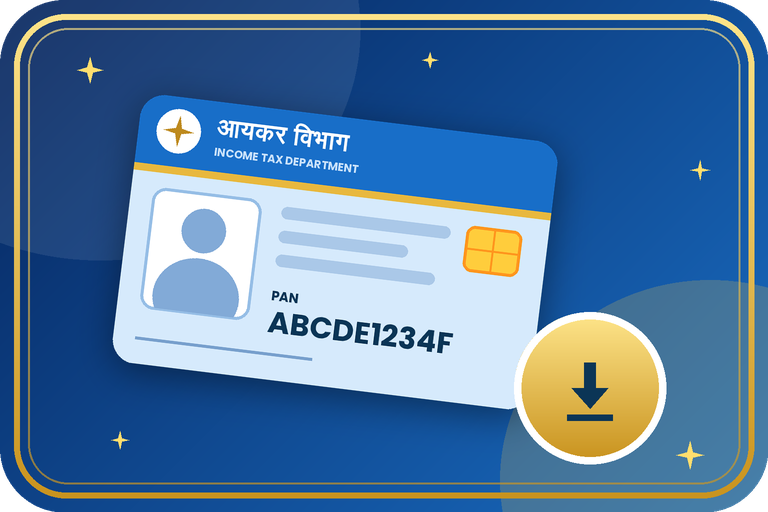
How to Download PAN Card (e-PAN) Online with Aadhaar, PAN or Acknowledgement Number
If you have lost your PAN card or need a digital copy urgently, you can download your e-PAN as a PDF. The e-PAN is a valid electronic document and can be fetched from the Income Tax portal or from Protean / UTIITSL.
Ways to Download e-PAN
An e-PAN is a digitally signed PDF that is accepted wherever a PAN is needed. You can fetch it after a new application using your acknowledgement number, or later using your Aadhaar-linked details. If the number on your Aadhaar does not match the PAN record, the download may fail until the details are corrected.
Documents Required
- Your PAN number or Aadhaar number.
- Acknowledgement number (for a recent application on Protean / UTIITSL).
- Date of birth as in the PAN record.
- Access to the mobile number linked with Aadhaar or registered in the PAN record, for OTP.
Step-by-Step Process
- Income Tax portal: open the e-Filing website, go to Instant e-PAN and choose Check Status / Download PAN.
- Enter your Aadhaar number, verify with OTP, and download the e-PAN PDF.
- Protean / UTIITSL: open the portal and choose Download e-PAN.
- Enter your PAN or acknowledgement number, date of birth and other asked details.
- Verify with the OTP sent to your registered mobile or email.
- Download the PDF. The file is usually password protected with your date of birth (DDMMYYYY).
- Optionally, fetch your PAN from DigiLocker using your PAN number.
Fees, Time & Options
| Point | Details |
|---|---|
| Income Tax portal | Aadhaar OTP, free for eligible users |
| Protean / UTIITSL | Using PAN or acknowledgement number and OTP. Fee may apply after the free period |
| DigiLocker | Fetch PAN using your PAN number |
| Physical card lost | Apply for a reprint through Protean or UTIITSL and pay the fee |
Important Tips
- Keep the e-PAN PDF safe, and remember its password is usually your date of birth.
- If the mobile number is not registered, update it first through PAN correction.
- Only use official portals. Never share your OTP.
- A printed e-PAN is as valid as the plastic card.
Need help with PAN card download?
Contact the Emitrawala team on WhatsApp. We will guide you step by step.
Chat on WhatsApp Call: +91 94606 26065Frequently Asked Questions (FAQ)
Is the e-PAN valid?
Yes, the e-PAN is a valid electronic PAN document and is accepted for official use.
What is the PDF password?
It is usually your date of birth in DDMMYYYY format.
Can I download it without my PAN number?
You can use Aadhaar on the Income Tax portal, or your acknowledgement number for a recent application.
My download fails. What now?
Check that your mobile and Aadhaar details match the PAN record. If not, apply for a correction.
Note: This information is based on public sources and the Income Tax / Protean / UTIITSL pages. PAN forms, fees and rules changed from 1 April 2026 and may change again, so please confirm the current form and fee on the official portal before you apply. Never pay anyone extra for a "faster" PAN.
पैन कार्ड (e-PAN) ऑनलाइन कैसे डाउनलोड करें: आधार, पैन या acknowledgement नंबर से
अगर आपका पैन कार्ड खो गया है या तुरंत डिजिटल कॉपी चाहिए तो आप अपना e-PAN PDF के रूप में डाउनलोड कर सकते हैं। e-PAN एक मान्य इलेक्ट्रॉनिक दस्तावेज़ है और आयकर पोर्टल या Protean / UTIITSL से मिल सकता है।
e-PAN डाउनलोड करने के तरीके
e-PAN डिजिटल हस्ताक्षरित PDF होता है जो जहाँ भी पैन चाहिए वहाँ मान्य है। नया आवेदन करने के बाद acknowledgement नंबर से, या बाद में आधार-लिंक जानकारी से इसे प्राप्त कर सकते हैं। अगर आधार की जानकारी पैन रिकॉर्ड से मेल नहीं खाती तो जानकारी सुधारने तक डाउनलोड फेल हो सकता है।
ज़रूरी दस्तावेज़
- आपका पैन नंबर या आधार नंबर।
- acknowledgement नंबर (Protean / UTIITSL पर हाल के आवेदन के लिए)।
- पैन रिकॉर्ड के अनुसार जन्म तिथि।
- OTP के लिए आधार से लिंक या पैन रिकॉर्ड में दर्ज मोबाइल नंबर तक पहुँच।
स्टेप-बाय-स्टेप प्रक्रिया
- आयकर पोर्टल: ई-फाइलिंग वेबसाइट खोलें, Instant e-PAN में जाएँ और Check Status / Download PAN चुनें।
- आधार नंबर डालें, OTP से सत्यापित करें और e-PAN PDF डाउनलोड करें।
- Protean / UTIITSL: पोर्टल खोलें और Download e-PAN चुनें।
- पैन या acknowledgement नंबर, जन्म तिथि और माँगी गई अन्य जानकारी भरें।
- पंजीकृत मोबाइल या ईमेल पर आए OTP से सत्यापित करें।
- PDF डाउनलोड करें। फ़ाइल आमतौर पर आपकी जन्म तिथि (DDMMYYYY) के पासवर्ड से सुरक्षित होती है।
- चाहें तो पैन नंबर से डिजिलॉकर से भी पैन प्राप्त कर सकते हैं।
शुल्क, समय व विकल्प
| बिंदु | विवरण |
|---|---|
| आयकर पोर्टल | आधार OTP, पात्र उपयोगकर्ताओं के लिए मुफ़्त |
| Protean / UTIITSL | पैन या acknowledgement नंबर और OTP से। मुफ़्त अवधि के बाद शुल्क लग सकता है |
| डिजिलॉकर | पैन नंबर से पैन प्राप्त करें |
| फिज़िकल कार्ड खोया | Protean या UTIITSL से रीप्रिंट के लिए आवेदन करें और शुल्क दें |
ज़रूरी सुझाव
- e-PAN PDF सुरक्षित रखें और याद रखें कि पासवर्ड आमतौर पर आपकी जन्म तिथि होती है।
- मोबाइल नंबर रजिस्टर्ड न हो तो पहले पैन करेक्शन से उसे अपडेट करें।
- केवल आधिकारिक पोर्टल का उपयोग करें। अपना OTP किसी से साझा न करें।
- प्रिंट किया हुआ e-PAN भी प्लास्टिक कार्ड जितना ही मान्य है।
पैन कार्ड डाउनलोड में मदद चाहिए?
Emitrawala टीम से WhatsApp पर संपर्क करें। हम आपको step by step गाइड करेंगे।
WhatsApp पर चैट करें कॉल करें: +91 94606 26065अक्सर पूछे जाने वाले प्रश्न (FAQ)
क्या e-PAN मान्य है?
हाँ, e-PAN मान्य इलेक्ट्रॉनिक पैन दस्तावेज़ है और सरकारी कामों में स्वीकार होता है।
PDF का पासवर्ड क्या होता है?
आमतौर पर आपकी जन्म तिथि DDMMYYYY प्रारूप में।
क्या पैन नंबर के बिना डाउनलोड हो सकता है?
आयकर पोर्टल पर आधार से, या हाल के आवेदन के लिए acknowledgement नंबर से हो सकता है।
डाउनलोड फेल हो रहा है, अब क्या करें?
जाँचें कि आपके मोबाइल और आधार की जानकारी पैन रिकॉर्ड से मेल खाती है। न खाए तो करेक्शन के लिए आवेदन करें।
नोट: यह जानकारी सार्वजनिक स्रोतों तथा आयकर / Protean / UTIITSL के पेजों पर आधारित है। पैन के फॉर्म, शुल्क और नियम 1 अप्रैल 2026 से बदले हैं और फिर बदल सकते हैं, इसलिए आवेदन से पहले आधिकारिक पोर्टल पर वर्तमान फॉर्म और शुल्क की पुष्टि अवश्य करें। "जल्दी" पैन के नाम पर किसी को अतिरिक्त पैसे न दें।
