
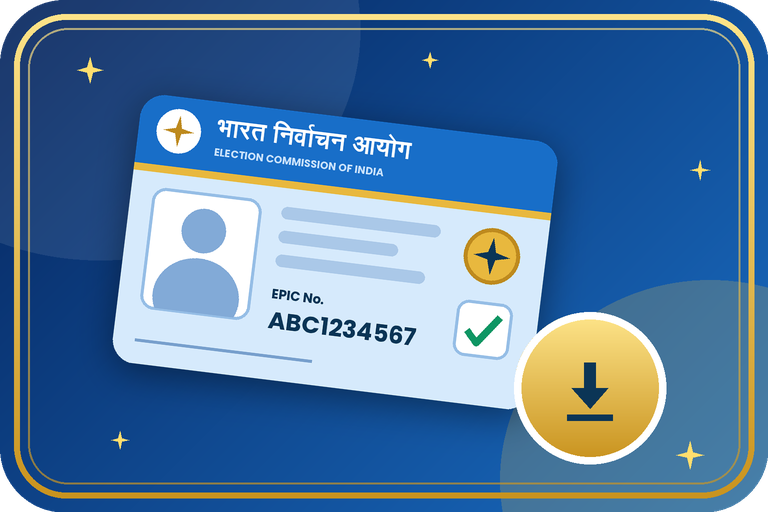
How to Download Voter ID Card Online (e-EPIC): Step-by-Step Guide
You do not have to wait for the printed card to reach you. The Election Commission of India lets registered voters download a digital voter card, called e-EPIC, as a PDF from the Voters' Services Portal or the Voter Helpline App. This guide explains what you need, the exact steps, and what to do if the OTP does not arrive.
What Is an e-EPIC?
e-EPIC is the digital, downloadable version of your Elector Photo Identity Card (EPIC), issued by ECI. You can keep it on your phone, store it in a cloud drive, or take a print-out whenever you need your voter card.
What You Need Before You Start
- Your EPIC (Voter ID) number, or the reference number of your Form 6 application.
- The mobile number registered with your voter record, because the OTP goes to this number.
- A phone or computer with internet and a PDF viewer.
Steps: Download e-EPIC Online
- Open voters.eci.gov.in or the official Voter Helpline App.
- Log in with your mobile number and OTP (create an account first if you are a new user).
- Choose Download e-EPIC from the menu.
- Enter your EPIC number (or the Form reference number) and select your state, then tap Search.
- Your voter details will appear on screen. Check that they are yours.
- Request the OTP, which is sent to the registered mobile number, and enter it.
- Tap Download e-EPIC and save the PDF on your device.
Common Problems and Easy Fixes
| Problem | What to do |
|---|---|
| No mobile number linked to the voter record | Update your mobile number first through Form 8, then download e-EPIC |
| OTP not coming | Check the number and network, wait a minute, and request the OTP again |
| Details not found | Recheck the EPIC number and state, or search your name in the electoral roll first |
| e-EPIC not available yet | Your application may still be pending. Check the status and try again after approval |
For New Voters Who Applied with Form 6
After the Electoral Registration Officer approves your Form 6, you can use the reference number in the e-EPIC option to download your digital card. You can also wait for the printed card to arrive by post.
Important Precautions
- Download only from voters.eci.gov.in or the official app. ECI does not charge for e-EPIC.
- Never share your OTP with anyone.
- If you use a cyber cafe or public computer, delete the PDF afterwards.
- Do not post your voter card on social media.
Need help with your Voter ID work?
Contact the Emitrawala team on WhatsApp. We will guide you step by step.
Chat on WhatsApp Call: +91 94606 26065Frequently Asked Questions (FAQ)
Is e-EPIC free?
Yes. Downloading e-EPIC from the official portal is free.
Can I download it without a registered mobile number?
The OTP goes to the registered number, so link your mobile first using Form 8.
Can I download a voter ID by name only?
You first need to find your EPIC number by searching the electoral roll with your details, then use it to download.
Is e-EPIC the same as the printed card?
It is the digital version issued by ECI for the same voter record.
Can I download my family member's card?
Only with their registered mobile OTP. Each voter should download their own card.
Which number should I call for help?
The voter helpline number is 1950.
Note: This information is based on the Election Commission of India's official portal and public sources. Forms, rules and screens can change, so please confirm on voters.eci.gov.in or call the voter helpline 1950 before you proceed.
वोटर आईडी कार्ड ऑनलाइन डाउनलोड कैसे करें (e-EPIC): स्टेप-बाय-स्टेप गाइड
प्रिंटेड कार्ड के डाक से आने का इंतजार करना जरूरी नहीं है। भारत निर्वाचन आयोग पंजीकृत मतदाताओं को वोटर सर्विस पोर्टल या Voter Helpline ऐप से डिजिटल वोटर कार्ड, यानी e-EPIC, PDF के रूप में डाउनलोड करने की सुविधा देता है। इस गाइड में बताया गया है कि क्या चाहिए, पूरी प्रक्रिया क्या है और OTP न आए तो क्या करें।
e-EPIC क्या होता है?
e-EPIC आपके मतदाता फोटो पहचान पत्र (EPIC) का डिजिटल, डाउनलोड होने वाला रूप है, जिसे ECI जारी करता है। इसे आप फोन में रख सकते हैं, क्लाउड ड्राइव में सेव कर सकते हैं या जरूरत पड़ने पर प्रिंट निकाल सकते हैं।
शुरू करने से पहले क्या चाहिए
- आपका EPIC (वोटर आईडी) नंबर, या फॉर्म 6 आवेदन का रेफरेंस नंबर।
- वोटर रिकॉर्ड में रजिस्टर्ड मोबाइल नंबर, क्योंकि OTP इसी पर आता है।
- इंटरनेट वाला फोन या कंप्यूटर और PDF देखने का ऐप।
स्टेप: ऑनलाइन e-EPIC डाउनलोड करें
- voters.eci.gov.in या आधिकारिक Voter Helpline ऐप खोलें।
- मोबाइल नंबर और OTP से लॉगिन करें (नए यूजर पहले अकाउंट बनाएं)।
- मेन्यू से Download e-EPIC चुनें।
- अपना EPIC नंबर (या फॉर्म का रेफरेंस नंबर) डालें, राज्य चुनें और Search दबाएं।
- स्क्रीन पर आपकी जानकारी दिखेगी। जांच लें कि वही आपकी है।
- OTP मंगाएं, जो रजिस्टर्ड मोबाइल नंबर पर आएगा, और उसे डालें।
- Download e-EPIC दबाएं और PDF अपने डिवाइस में सेव कर लें।
आम समस्याएं और आसान समाधान
| समस्या | क्या करें |
|---|---|
| वोटर रिकॉर्ड में मोबाइल नंबर लिंक नहीं है | पहले फॉर्म 8 से मोबाइल नंबर अपडेट करें, फिर e-EPIC डाउनलोड करें |
| OTP नहीं आ रहा | नंबर और नेटवर्क जांचें, एक मिनट रुकें और दोबारा OTP मंगाएं |
| जानकारी नहीं मिल रही | EPIC नंबर और राज्य दोबारा जांचें, या पहले मतदाता सूची में अपना नाम खोजें |
| e-EPIC अभी उपलब्ध नहीं | आपका आवेदन शायद लंबित है। स्थिति देखें और मंजूरी के बाद फिर कोशिश करें |
फॉर्म 6 से आवेदन करने वाले नए मतदाताओं के लिए
निर्वाचक पंजीकरण अधिकारी द्वारा फॉर्म 6 मंजूर होने के बाद आप e-EPIC विकल्प में रेफरेंस नंबर डालकर अपना डिजिटल कार्ड डाउनलोड कर सकते हैं। चाहें तो डाक से प्रिंटेड कार्ड आने का इंतजार भी कर सकते हैं।
जरूरी सावधानियां
- सिर्फ voters.eci.gov.in या आधिकारिक ऐप से डाउनलोड करें। e-EPIC के लिए ECI कोई फीस नहीं लेता।
- OTP किसी को न बताएं।
- साइबर कैफे या पब्लिक कंप्यूटर इस्तेमाल करें तो बाद में PDF डिलीट कर दें।
- अपना वोटर कार्ड सोशल मीडिया पर पोस्ट न करें।
वोटर आईडी के काम में मदद चाहिए?
Emitrawala टीम से WhatsApp पर संपर्क करें। हम आपको स्टेप-बाय-स्टेप मार्गदर्शन देंगे।
WhatsApp पर चैट करें कॉल करें: +91 94606 26065अक्सर पूछे जाने वाले प्रश्न (FAQ)
क्या e-EPIC निःशुल्क है?
हां। आधिकारिक पोर्टल से e-EPIC डाउनलोड करना निःशुल्क है।
क्या रजिस्टर्ड मोबाइल नंबर के बिना डाउनलोड हो सकता है?
OTP रजिस्टर्ड नंबर पर जाता है, इसलिए पहले फॉर्म 8 से अपना मोबाइल नंबर लिंक करें।
क्या सिर्फ नाम से वोटर आईडी डाउनलोड हो सकता है?
पहले अपनी जानकारी से मतदाता सूची में खोजकर EPIC नंबर निकालना होगा, फिर उससे डाउनलोड करें।
क्या e-EPIC और प्रिंटेड कार्ड एक जैसे हैं?
यह उसी वोटर रिकॉर्ड के लिए ECI द्वारा जारी डिजिटल रूप है।
क्या परिवार के सदस्य का कार्ड डाउनलोड कर सकते हैं?
सिर्फ उनके रजिस्टर्ड मोबाइल के OTP से। हर मतदाता को अपना कार्ड खुद डाउनलोड करना चाहिए।
मदद के लिए किस नंबर पर कॉल करें?
वोटर हेल्पलाइन नंबर 1950 है।
नोट: यह जानकारी भारत निर्वाचन आयोग (ECI) के आधिकारिक पोर्टल और सार्वजनिक स्रोतों पर आधारित है। फॉर्म, नियम और स्क्रीन बदल सकते हैं, इसलिए आगे बढ़ने से पहले voters.eci.gov.in पर जांच लें या वोटर हेल्पलाइन 1950 पर कॉल करें।
