
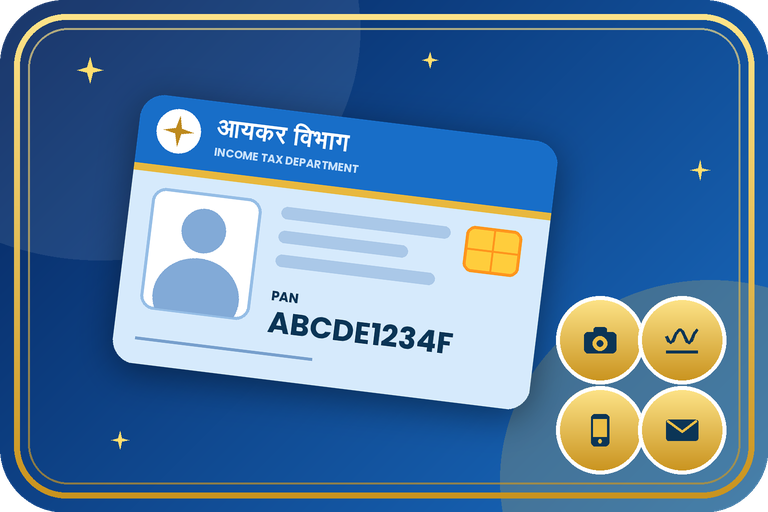
Update Photo, Signature, Mobile Number and Email ID in Your Existing PAN
If your PAN photo or signature is old, or the mobile number and email linked to it have changed, you can update them online. This helps you receive OTPs and keeps your PAN consistent with Aadhaar and your bank KYC.
What Can You Update?
Photo, signature, mobile number and email ID can be updated through the same change or correction facility on Protean or UTIITSL. The PAN number itself cannot be changed. An active mobile number is important because OTP verification and downloads depend on it.
Documents Required
- Your PAN and Aadhaar.
- New passport size photo and a fresh signature (clear, on white paper, as the portal specifies).
- New mobile number and email ID to be added, with access for OTP.
- ID and address proof if the document route is used.
Step-by-Step Process
- Open the Protean or UTIITSL PAN portal and choose Changes or Correction in Existing PAN Data.
- Enter your PAN, name, date of birth and other asked details.
- Select the paperless e-KYC with Aadhaar OTP route, or the document route.
- Tick the fields to update: photo, signature, mobile number, email ID.
- Enter the new mobile and email, and upload the new photo and signature as required.
- Pay the fee, complete the OTP verification and submit.
- Download the acknowledgement and track the request. The updated record or new card is issued with the same PAN number.
Fees, Time & Options
| Point | Details |
|---|---|
| Photo / signature | Upload clear new images through the change request |
| Mobile / email | Enter new details and verify by OTP |
| Fee | About ₹72 for e-PAN only and about ₹107 (incl. GST) with a physical card for an Indian address, as per public sources. Foreign address costs more. Confirm on the portal |
| PAN number | Does not change |
Important Tips
- Use a clean recent photo with a plain background.
- Sign on plain white paper in the same style as your bank signature.
- Use a mobile number that stays active for years.
- After updating, check that PAN and Aadhaar details match so linking works.
Need help with PAN photo, signature, mobile and email update?
Contact the Emitrawala team on WhatsApp. We will guide you step by step.
Chat on WhatsApp Call: +91 94606 26065Frequently Asked Questions (FAQ)
Can I change the PAN number?
No. The PAN number is permanent, only the details attached to it can be updated.
Can I update only my mobile number?
Yes, choose only that field in the change request. Fee may still apply.
How do I change the photo on my PAN?
Use the change request, select the photo field and upload a new photo.
Will I get a new card?
You can choose a new physical card or an updated e-PAN, depending on the fee option.
Note: This information is based on public sources and the Income Tax / Protean / UTIITSL pages. PAN forms, fees and rules changed from 1 April 2026 and may change again, so please confirm the current form and fee on the official portal before you apply. Never pay anyone extra for a "faster" PAN.
मौजूदा पैन कार्ड में फ़ोटो, हस्ताक्षर, मोबाइल नंबर और ईमेल ID कैसे अपडेट करें
अगर आपके पैन की फ़ोटो या हस्ताक्षर पुराने हैं, या उससे जुड़ा मोबाइल नंबर और ईमेल बदल गए हैं तो आप उन्हें ऑनलाइन अपडेट कर सकते हैं। इससे OTP मिलते रहते हैं और आपका पैन आधार तथा बैंक KYC से मेल खाता रहता है।
क्या-क्या अपडेट कर सकते हैं?
फ़ोटो, हस्ताक्षर, मोबाइल नंबर और ईमेल ID को Protean या UTIITSL की उसी change या correction सुविधा से अपडेट किया जा सकता है। पैन नंबर खुद नहीं बदला जा सकता। चालू मोबाइल नंबर ज़रूरी है क्योंकि OTP सत्यापन और डाउनलोड उसी पर निर्भर करते हैं।
ज़रूरी दस्तावेज़
- आपका पैन और आधार।
- नई पासपोर्ट साइज़ फ़ोटो और ताज़ा हस्ताक्षर (साफ़, सफ़ेद कागज़ पर, जैसा पोर्टल बताए)।
- जोड़ा जाने वाला नया मोबाइल नंबर और ईमेल ID, OTP के लिए पहुँच के साथ।
- दस्तावेज़ वाला रास्ता चुनें तो ID और पता प्रमाण।
स्टेप-बाय-स्टेप प्रक्रिया
- Protean या UTIITSL पैन पोर्टल खोलें और Changes or Correction in Existing PAN Data चुनें।
- अपना पैन, नाम, जन्म तिथि और माँगी गई अन्य जानकारी भरें।
- पेपरलेस आधार OTP वाला e-KYC रास्ता या दस्तावेज़ वाला रास्ता चुनें।
- अपडेट के फ़ील्ड चुनें: फ़ोटो, हस्ताक्षर, मोबाइल नंबर, ईमेल ID।
- नया मोबाइल और ईमेल भरें, और ज़रूरत के अनुसार नई फ़ोटो व हस्ताक्षर अपलोड करें।
- शुल्क जमा करें, OTP सत्यापन पूरा करें और सबमिट करें।
- acknowledgement डाउनलोड करें और रिक्वेस्ट ट्रैक करें। अपडेटेड रिकॉर्ड या नया कार्ड उसी पैन नंबर के साथ जारी होता है।
शुल्क, समय व विकल्प
| बिंदु | विवरण |
|---|---|
| फ़ोटो / हस्ताक्षर | change रिक्वेस्ट में साफ़ नई इमेज अपलोड करें |
| मोबाइल / ईमेल | नई जानकारी भरें और OTP से सत्यापित करें |
| शुल्क | सार्वजनिक स्रोतों के अनुसार भारतीय पते पर केवल e-PAN के लिए लगभग ₹72 और फिज़िकल कार्ड सहित लगभग ₹107 (GST सहित)। विदेशी पते पर ज़्यादा। पोर्टल पर पुष्टि करें |
| पैन नंबर | नहीं बदलता |
ज़रूरी सुझाव
- सादे बैकग्राउंड वाली साफ़ हाल की फ़ोटो लगाएँ।
- सादे सफ़ेद कागज़ पर वैसा ही हस्ताक्षर करें जैसा आपके बैंक में है।
- ऐसा मोबाइल नंबर दें जो सालों तक चालू रहे।
- अपडेट के बाद देखें कि पैन और आधार की जानकारी मेल खाती है ताकि लिंकिंग हो सके।
पैन में फ़ोटो, हस्ताक्षर, मोबाइल और ईमेल अपडेट में मदद चाहिए?
Emitrawala टीम से WhatsApp पर संपर्क करें। हम आपको step by step गाइड करेंगे।
WhatsApp पर चैट करें कॉल करें: +91 94606 26065अक्सर पूछे जाने वाले प्रश्न (FAQ)
क्या मैं पैन नंबर बदल सकता हूँ?
नहीं। पैन नंबर स्थायी होता है, केवल उससे जुड़ी जानकारी अपडेट हो सकती है।
क्या सिर्फ़ मोबाइल नंबर अपडेट कर सकता हूँ?
हाँ, change रिक्वेस्ट में केवल वही फ़ील्ड चुनें। फिर भी शुल्क लग सकता है।
पैन की फ़ोटो कैसे बदलें?
change रिक्वेस्ट में फ़ोटो फ़ील्ड चुनकर नई फ़ोटो अपलोड करें।
क्या नया कार्ड मिलेगा?
शुल्क विकल्प के अनुसार आप नया फिज़िकल कार्ड या अपडेटेड e-PAN चुन सकते हैं।
नोट: यह जानकारी सार्वजनिक स्रोतों तथा आयकर / Protean / UTIITSL के पेजों पर आधारित है। पैन के फॉर्म, शुल्क और नियम 1 अप्रैल 2026 से बदले हैं और फिर बदल सकते हैं, इसलिए आवेदन से पहले आधिकारिक पोर्टल पर वर्तमान फॉर्म और शुल्क की पुष्टि अवश्य करें। "जल्दी" पैन के नाम पर किसी को अतिरिक्त पैसे न दें।
