How to Make a Jan Aadhaar Card: Complete Online Enrolment Process (2026)
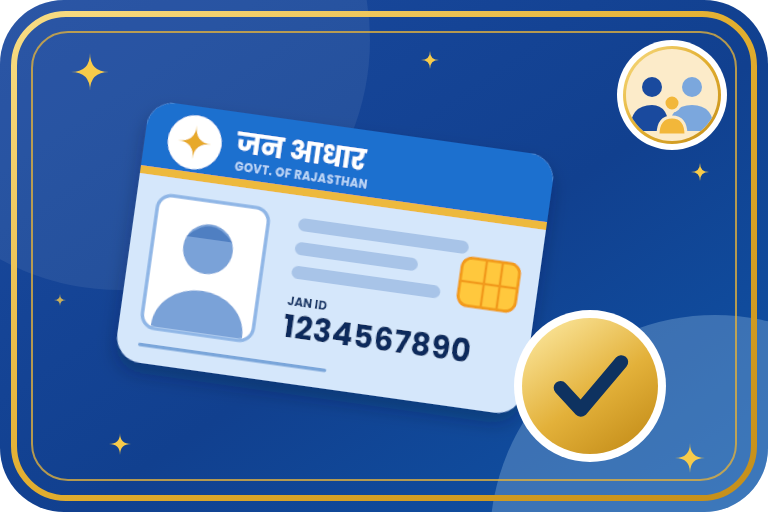
Jan Aadhaar is Rajasthan's family identity card. Your family gets one 10-digit family ID and an 11-digit ID for each member, and most state schemes ask for it. Enrolment is free and can be done online through your SSO ID or at an e-Mitra centre. This guide explains who can enrol, the documents, the step-by-step process, e-KYC, how to check the status and download the card, and what to do if something gets stuck.
Key Points
- Jan Aadhaar enrolment, adding a member and downloading the e-card are free.
- The family gets a 10-digit ID and every member gets an 11-digit personal ID.
- e-KYC (Aadhaar authentication) is mandatory for the head of the family and every member above 5 years.
- A valid bank account in the name of the head of the family is compulsory, because scheme money is paid to it.
- The application moves ahead only after the head completes the Aadhaar OTP e-Sign.
- The record is verified at two levels before the ID is issued.
Who Can Enrol and Who Becomes the Head
- All resident families of Rajasthan can enrol. A resident means a person who has lived in the state for at least 6 months.
- State government employees and pensioners who live or work outside the state can also enrol.
- The head of the family is a woman aged 18 years or more.
- If there is no such woman, a man aged 21 years or more can be the head.
- If neither is available, the eldest member of the family becomes the head.
- Details of the members are entered in Hindi and English.
Documents Required
| What it proves | Accepted documents |
|---|---|
| Identity | Aadhaar of the head and of every member above 5 years |
| Bank account | Passbook, bank statement or cancelled cheque of the head of the family |
| Age / date of birth | Birth certificate or Class 10 marksheet |
| Address | Aadhaar, domicile certificate, electricity or water bill, ration card, PAN card or passport |
| Children 5 years and below | Birth certificate and passport size photograph (Aadhaar if the child was born outside Rajasthan) |
| Income (if needed) | Income certificate signed by a notary or revenue officer, pay slip, ITR or Form-16 |
Process 1: Enrol Online Through SSO
- Open sso.rajasthan.gov.in and log in with your SSO ID. Create an SSO ID first if you do not have one.
- In Citizen Apps open the Jan Aadhaar app and choose new enrolment.
- Enter the Aadhaar number of the proposed head of the family and complete Aadhaar authentication.
- Fill in the details of the head and of each member and upload the documents.
- On the acknowledgement page complete the e-Sign with the OTP sent to the Aadhaar-linked mobile.
- Wait for verification and bank verification. Once e-KYC and bank details are complete, the 10-digit family ID and the 11-digit member IDs are issued.
Process 2: Enrol Through e-Mitra
- Visit the nearest e-Mitra centre with the documents and the head's Aadhaar-linked mobile phone.
- Ask the operator to start a new Jan Aadhaar enrolment.
- The operator enters the details of the family and does the Aadhaar authentication of the head.
- Complete the e-Sign with the Aadhaar OTP and take the acknowledgement slip.
- Download or collect the e-card after the verification is over. Only the government-prescribed e-Mitra service charge applies.
After Enrolment: Verification and e-KYC
- In rural areas the record is first checked by the Village Development Officer and then by the Block Statistical Officer.
- In urban areas it is first checked by the local body officer and then by the Sub Divisional Officer.
- e-KYC brings the name, date of birth, gender and photograph from Aadhaar. No edit is possible until e-KYC is done.
- Children under 5 can do e-KYC with a Rajasthan birth certificate.
- If your Aadhaar itself has a wrong name or date of birth, correct it with UIDAI first.
Check Status and Download the e-Card
- Open janaadhaar.rajasthan.gov.in and use Jan Aadhaar Status to see where your enrolment stands.
- For the card, log in with your SSO ID, open the Jan Aadhaar app and choose the e-card option, or ask an e-Mitra centre.
- Enter your Jan Aadhaar details and complete Aadhaar OTP authentication.
- Download the PDF. The PDF password is the first 4 letters of the head's name followed by the day and month of the head's birth. Example: head SANTOSH DEVI born on 20.01.1970 has password SANT2001.
Update Fees and Limits (from 1 June 2026)
| Change | Limit | Fee |
|---|---|---|
| Parents' names, minority category, marital status, spouse's name | 2 times | First free, then Rs 15 each |
| Education and income details | 2 times per financial year | First free, then Rs 25 each |
| Bank details | 2 times per financial year | First free, then Rs 40 each |
| Contact details, Aadhaar authentication, occupation, resident status, address | No limit | First free, then Rs 40 each |
| New enrolment, adding a member, removing a member on death | Once | Free |
| e-Jan Aadhaar download | No limit | Free |
- These limits are as reported from Circular-10 dated 7 May 2026 for updates made through your own SSO ID. Please confirm the current rules on the official portal.
Common Problems and Solutions
- OTP not coming: The OTP goes to the Aadhaar-linked mobile. If that number is old, update it in Aadhaar first.
- e-KYC fails: The name or date of birth in Aadhaar does not match the form. Correct it with UIDAI and try again.
- Status shows Pending at citizen: The e-Sign is not done. Log in and complete it.
- Status shows Bank NPCI pending: Bank verification is in progress. Check that the head's account is active and in the head's name.
- Verified but no ID: The e-KYC of the head or a member, or the head's bank details, are still pending.
- Wrong details in the record: Make the correction after e-KYC. The first attempt for most changes is free.
Important Points
- Rules, fees and limits can change. Confirm on the official portal before you pay or update.
- Do not pay any agent for enrolment. Only the prescribed e-Mitra charge is allowed at a centre.
- Fill every detail carefully the first time, because the first attempt of a change is the free one.
- Helpline: toll free 181 or the Jan Aadhaar helpdesk 0141-2850287 (10 AM to 6 PM). Emitrawala.com is not a government website.
Need Help?
If you need help with Jan Aadhaar enrolment, e-KYC, updates or downloading the card, contact Emitrawala.com. Our team will be happy to help you.
Contact on WhatsApp Call: +91 94606 26065Frequently Asked Questions (FAQ)
Is Jan Aadhaar enrolment free?
Yes. Enrolment, adding a member and downloading the e-card are free.
Is e-KYC compulsory?
Yes, for the head and every member above 5 years.
Is Jan Aadhaar the same as Aadhaar?
No. Aadhaar identifies a person. Jan Aadhaar is a family record used for state schemes. It takes data from Aadhaar through e-KYC.
Who should be the head of the family?
A woman aged 18 or more. If none, a man aged 21 or more, and otherwise the eldest member.
Can I enrol through e-Mitra?
Yes. Any e-Mitra centre can do enrolment, e-KYC, updates and e-card download.
Note: This information is based on the Rajasthan Jan Aadhaar Authority portal and public sources. Rules, fees and screens can change, so please confirm on janaadhaar.rajasthan.gov.in before you proceed.